Speed Game · About the game
Speed Game: win the buzzer, then beat the answer clock
The buzzer gives one player the chance to answer. Winning that chance is only the first step: submit the correct answer before its time runs out.
See the game screens
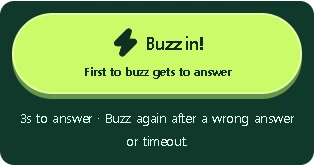
Practice screenView full-size screenshot
- Press the buzzer when it opens to request the turn.
- The answer window defaults to three seconds. Wait for it to reopen before buzzing again.
Buzzing and answering are separate steps
After pressing the buzzer, check who received the answering turn. That player answers within the time window while everyone else follows the waiting or next-turn instructions.
Start with short, clear questions
Try concise trivia, simple clues or a quick knowledge recap. Explain the difference between reading the question and using the timed answering turn so newcomers can follow the round.
Compete individually or contribute to a team
Individual play tracks each player’s score; team play combines members’ points. The player shown as holding the answering turn must answer—team membership does not transfer that turn to another device.
Practise before inviting the group
The three-question solo demo introduces the buzzer and answer controls. Before a real match, use host and player devices to check the connection and chosen answer window.
Rehearse a missed buzzer turn
Open a practice room with one host and two players. Have one player win the buzzer and deliberately let the turn expire. The other waits until the game offers another chance. Check who actually scored before starting the real match.
Read next
Ready to play together?
Hosts can create a game. Invited players can enter their code on the game home page.
Go to game home